






Take back control of your digital life.

Run your own private versions of the apps you use every day, like Google Drive, iCloud, and more, without giving up convenience.

Today, most people rely on services from Google, Apple, and Microsoft because they are simple, useful, and free. Over time, the deal changes. The rules shift, and your data becomes part of a system you do not control.

My Own Suite gives you your own versions of these tools, running in a setup you control. You keep the convenience, but your files, photos, and data stay yours.

Built on proven tools, not reinvented ones

My Own Suite brings together established open-source apps like Seafile, ONLYOFFICE, and Immich. These are trusted by millions of users, as well as companies and even governments, and are combined into one cohesive setup you can actually run and use.

Who is My Own Suite for?

If any of this sounds familiar, you will probably feel at home with My Own Suite:

  • People who want to leave Google, Apple, and Microsoft without losing convenience.
  • Freelancers and creators who refuse to have their work used to train AI models.
  • Individuals tired of trading privacy for "free" cloud services.
  • Families who want their photos and private moments to stay private.
  • People who have seen ads get a little too accurate, and it doesn't feel right.
  • People tired of ecosystems that are easy to enter, but hard to leave.

Setup once. Use it everywhere.

With My Own Suite, you don't set up apps on every device. You deploy it once, and your apps run in your own private cloud.

That means your files, photos, documents, and tools are always available through your browser - on your laptop, phone, or tablet - just like the services you already use today.

  • Open your suite from any browser, on any device
  • Your apps and data stay in one place, always in sync
  • Add native apps or sync clients when you want deeper integration

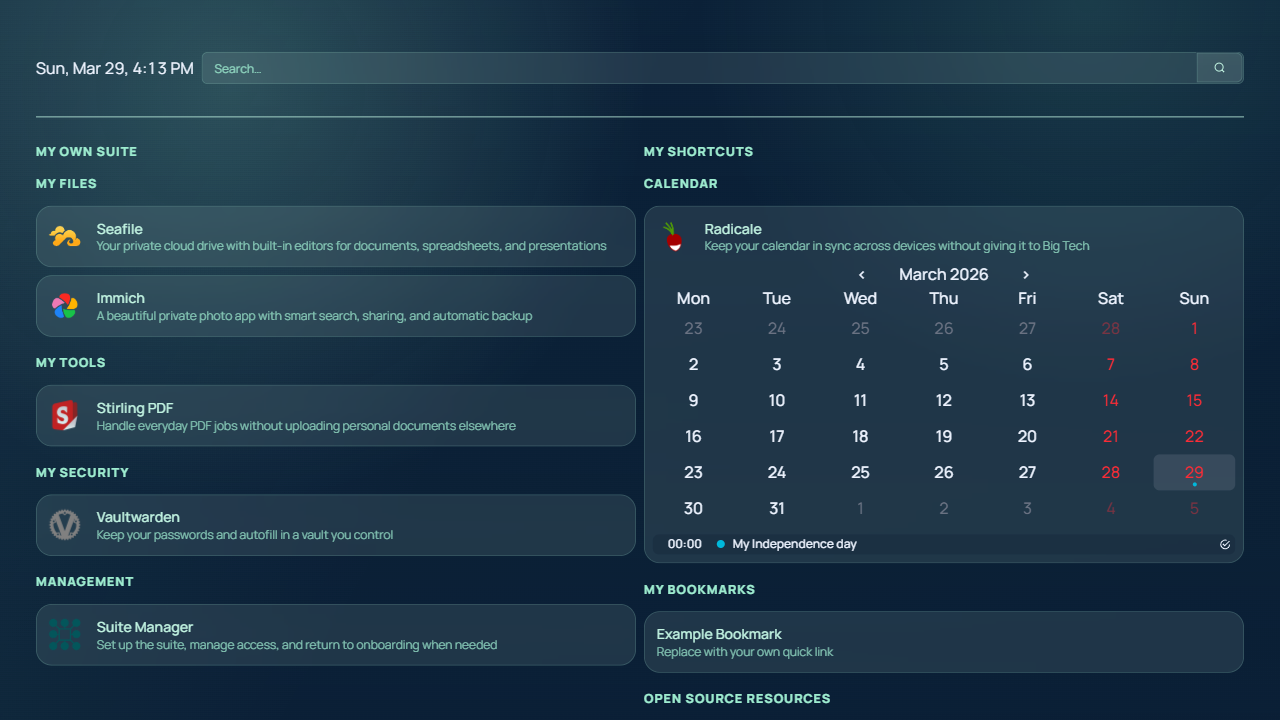
One dashboard that makes the suite feel usable right away.

Homepage is the everyday launchpad for My Own Suite. Instead of juggling bookmarks, ports, and app URLs, you land in one calm place that reflects the stack you actually have running.

The result feels much closer to a real product than a loose bundle of containers, which matters if the goal is helping normal people leave Big Tech without walking into a hobbyist maze.

See the Homepage module
My Own Suite Homepage dashboard with app categories, widgets, and management links.

How do I get started?

Because My Own Suite is built around control and independence, there isn’t just one way to use it. You can start simple or go deeper over time, depending on what feels right for you.

Start in minutes

Run the suite using a ready-made deploy template with almost no setup. This is the easiest way to get started and see how everything works. You trade some control for simplicity, but still get strong privacy and a low-maintenance setup.

Start with Railway
Setup time Minutes
Privacy & Control 75%
Difficulty & Responsibility Easy

Choose your own server

Run the suite on your own server with a hosting provider you choose. This gives you more control and flexibility, and a clearer path to long-term independence. It takes more time to set up, and you'll need some technical comfort and occasional maintenance.

Learn about VPS
Setup time ~30-60 min
Privacy & Control 85%
Difficulty & Responsibility Slightly difficult

Run it yourself

Run everything on your own hardware for full control and maximum privacy. Nothing depends on external platforms, you are fully off the grid. This requires solid technical knowledge, especially around networking and security, and you are responsible for keeping everything running safely.

Explore self-hosting
Setup time Several hours+
Privacy & Control 100%
Difficulty & Responsibility Very difficult
How it works

Choose a path, deploy the stack, and land inside your own suite.

1

Choose your deploy style

Start with the easiest path, use a VPS for more hosting freedom, or run it on your own hardware.

Explore deploy options
2

Deploy the suite

Bring up the curated stack with the documented setup flow instead of manually assembling each app yourself.

Read the quickest path
3

Finish onboarding and use it

Sign in through Suite Manager, land on Homepage, and start using the apps as one connected setup.

See the overview
Open source matters

Built on great open-source work

My Own Suite stands on top of some of the best open-source tools available today. Huge credit to the teams and communities behind them. This would not exist without their work.

Built with

Bundled by

Still unsure? That’s completely fine.

Take a look at the docs to see how everything works in practice.

Open the docs