
ONLYOFFICE
ONLYOFFICE is the office suite inside My Own Suite. It lets you open documents, spreadsheets, and presentations right in the browser, work together in real time, and keep your files inside your own setup instead of pushing them into a third-party workspace.
In My Own Suite, ONLYOFFICE is connected to Seafile, so your files stay in your private cloud drive and open directly in the browser when you want to work on them.
What it is
Section titled “What it is”ONLYOFFICE is where browser-based work happens in the suite.
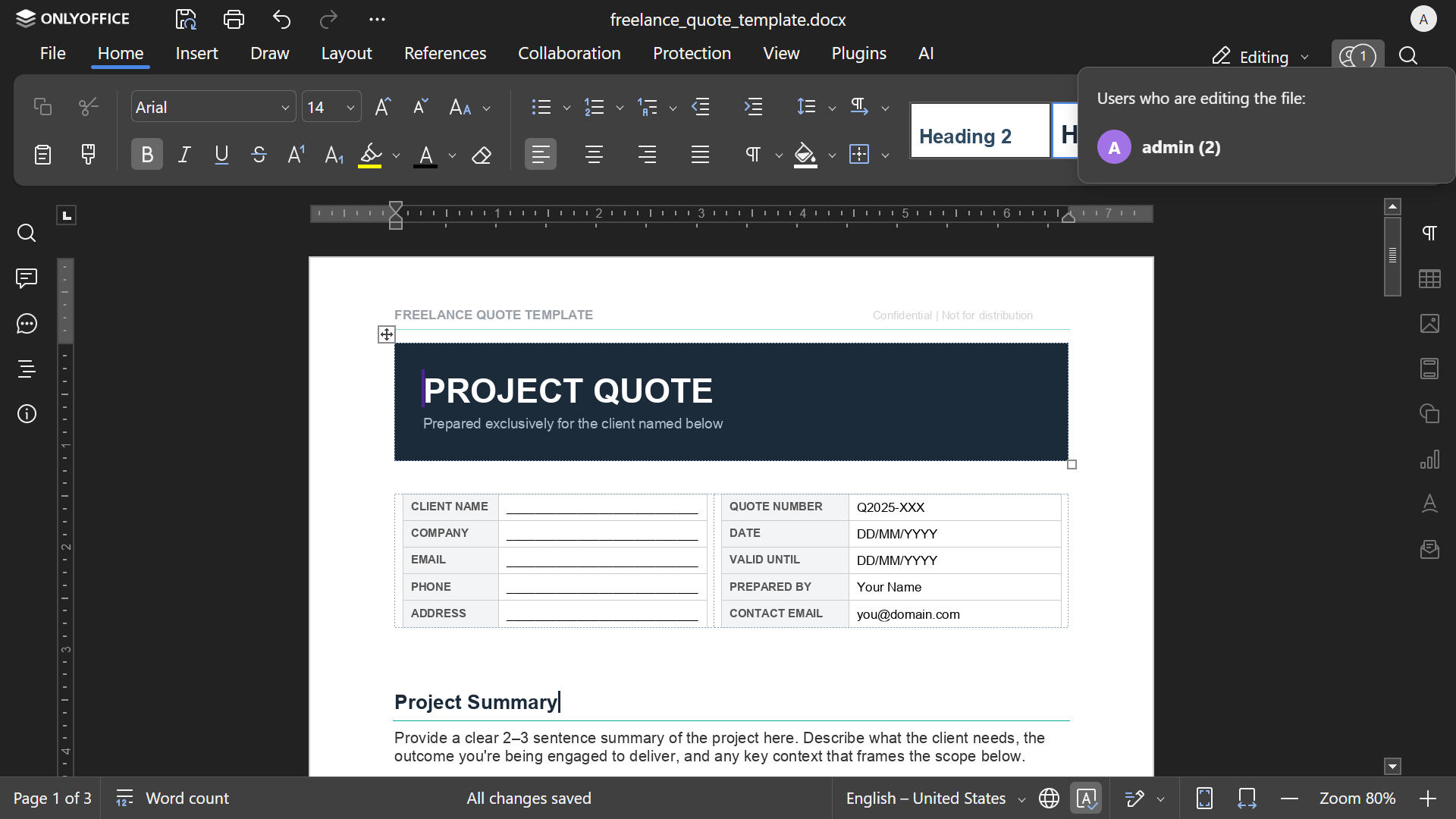
It gives you online editors for documents, spreadsheets, and presentations, so you can open files straight from Seafile and keep working without downloading them first. It also supports collaboration features such as co-editing, comments, and track changes, which makes it much easier to work with other people without passing files back and forth.
- write and format documents in the browser
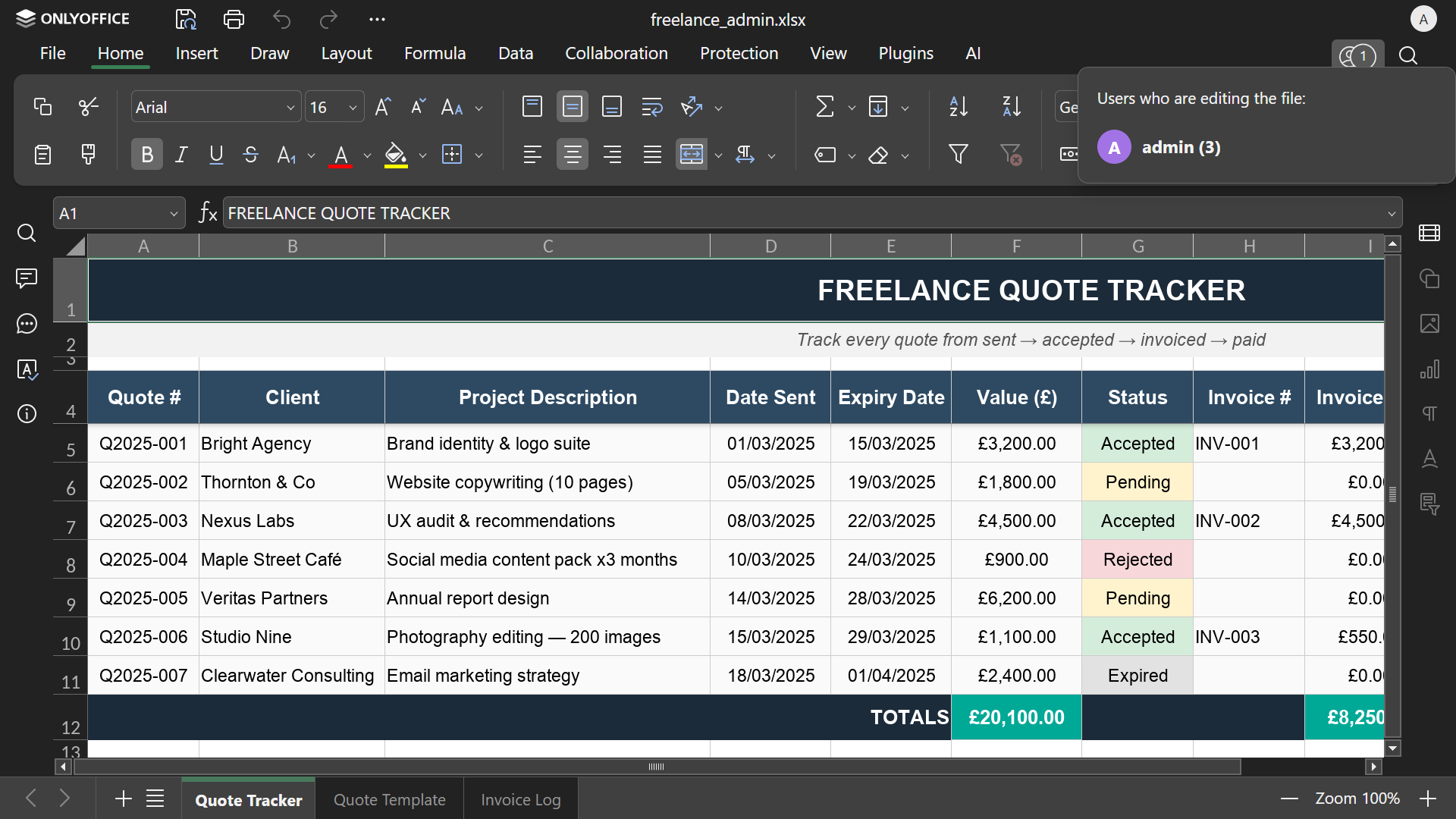
- build spreadsheets and work with formulas, tables, and structured data
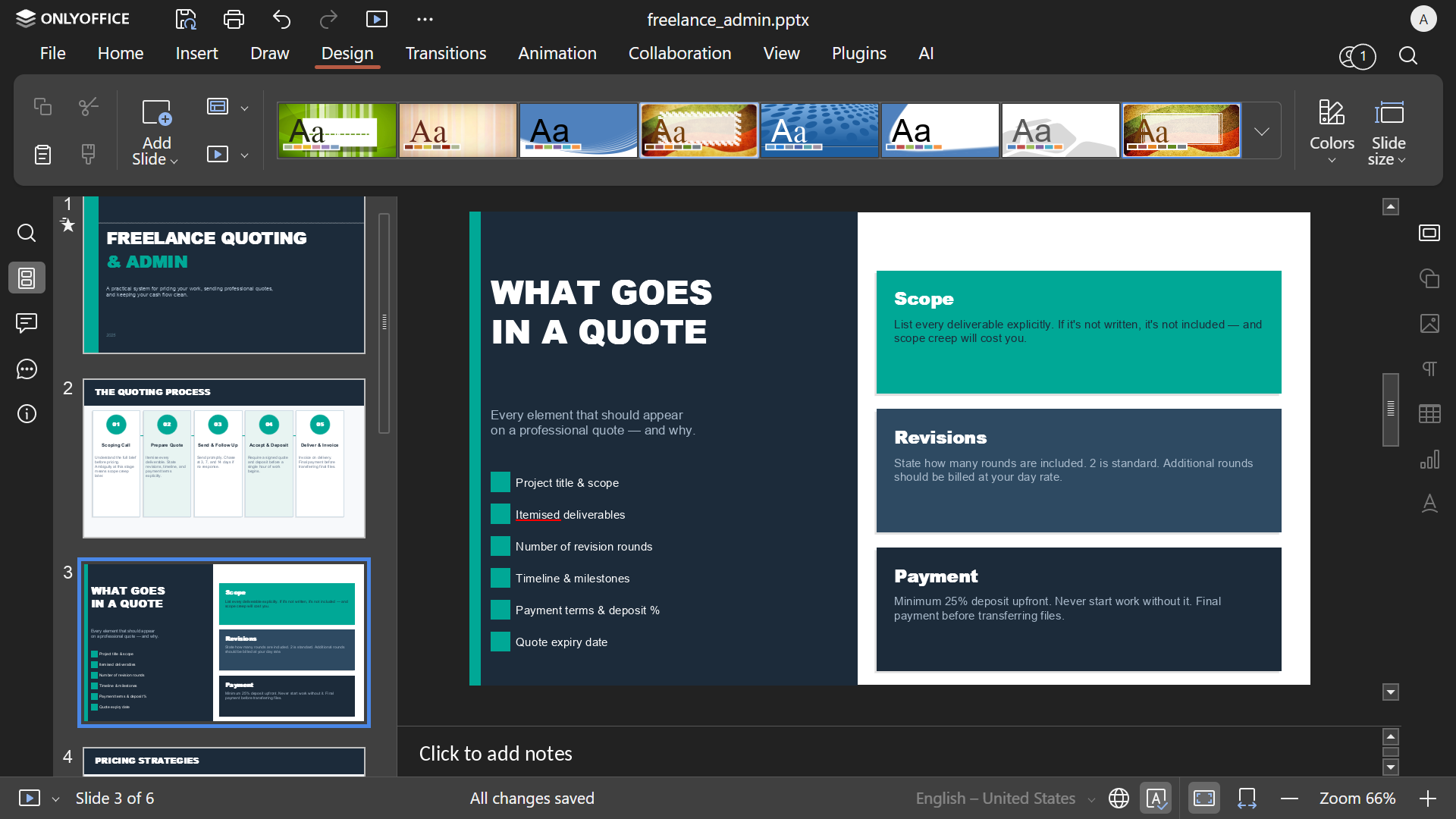
- create presentations without leaving your cloud workspace
- collaborate in real time with comments and track changes
- keep working with common Microsoft Office file formats
That is the real value here: your files stay in your own stack, but the editing experience still feels like a modern online office suite.
What you can do
Section titled “What you can do”- Open files from Seafile and edit them directly in the browser.
- Work together on documents, spreadsheets, and presentations without sending new copies around.
- Comment, review, and track changes when you need feedback or approval before something is final.
- Keep your office files in the same private setup as the rest of your suite instead of splitting storage and editing across different services.
Why it was picked for this stack
Section titled “Why it was picked for this stack”- It gives the suite real-time collaboration that feels solid and dependable, with co-editing, comments, and track changes built into the editing flow.
- It works well with the file types most people already use every day, especially Microsoft Word, Excel, and PowerPoint formats.
- It covers the core features most people actually expect from an online office suite: documents, spreadsheets, presentations, review tools, and browser-based editing.
- If you want AI features, ONLYOFFICE has an official AI plugin that can connect to supported AI providers by adding your own API key.
ONLYOFFICE helps turn the suite from a place where files are stored into a place where work actually gets done.
If you want the full story behind why ONLYOFFICE was chosen for this workflow, read Goodbye Google Drive: My self-hosted Drive and Docs replacement.
That article breaks it down even further: what I tested, why most self-hosted storage setups still fall short once browser-based editing matters, and why Seafile + ONLYOFFICE was the first combination that felt complete enough for daily use.
Want a quick demo first?
Section titled “Want a quick demo first?”If you want to test the browser-based editing workflow in isolation before committing to the full suite, you can use the standalone Seafile + ONLYOFFICE Railway template.
ONLYOFFICE is not a file-storage system on its own, so it needs something underneath it to store and serve the documents you work on. That is why the demo is bundled with Seafile instead of running as a standalone editor by itself.

That gives you a fast way to try this part of My Own Suite on its own. If you want the full setup, use the main Getting started and deployment guides instead.
Technical reference
Section titled “Technical reference”Environment variables
TZ: Container timezone.ALLOW_PRIVATE_IP_ADDRESS: Allow callbacks to private/loopback addresses.ALLOW_META_IP_ADDRESS: Allow callbacks to metadata/non-public address ranges.JWT_ENABLED: Enable JWT protection.JWT_SECRET: JWT secret used when JWT is enabled.SECURE_LINK_SECRET: Secret used for nginx secure-link validation of/cache/files/....
Volumes and persistence
- Required volume mount:
/var/www/onlyoffice/Data - This is required for VPS and managed platform deployments.
Dependencies and integrations
- Seafile integration is used for opening and saving files from user libraries.
Customizations in this project
- Startup wrapper normalizes selected env values.
- Supports dynamic listen port mapping for managed platforms.
- Synchronizes nginx
secure_link_secretwithSECURE_LINK_SECRET.