Your own private cloud, made simple.
Own your data
Actually simple
Genuinely private
Three steps to your own cloud
Set it up once
Create your account in the browser
Pick your apps
Pick what you actually need
Apps that work together
Actual Budget
Privacy configured Privacy grade B (A is best, D is worst)Talks to outside services out of the box — MOS turned those parts off for you.
Contacts nothing outside your server in normal use.
Immich
External dependency Privacy grade C (A is best, D is worst)Something leaves your server in normal use and there is no in-app setting that stops it. MOS reviewed that and accepted it as the price of the feature. The full assessment says exactly what leaves, who receives it, and why.
Contacts 5 hosts outside your server in normal use, before you turn anything on.
-
huggingface.coFrom the app Downloads the machine-learning models for smart search and face recognition the first time they are needed. Received by Hugging Face -
*.hf.coFrom the app Hugging Face's download servers, which serve those model files. Which ones answer depends on where the server is. Received by Hugging Face -
*.modelscope.cnFrom the app Downloads the text-recognition (OCR) models the first time they are needed. Received by ModelScope (Alibaba Cloud) -
tiles.immich.cloudFrom your browser Map tiles, only while the map is open. A request names the square of the map being drawn, never a photo's location. Received by Immich (FUTO), served through Cloudflare -
static.immich.cloudFrom your browser Fonts and icons for the map, only while the map is open. Received by Immich (FUTO), served through Cloudflare
ONLYOFFICE
Privacy configured Privacy grade B (A is best, D is worst)Talks to outside services out of the box — MOS turned those parts off for you.
Contacts nothing outside your server in normal use.
Paperless-ngx
Private by default Privacy grade A (A is best, D is worst)Runs entirely on your machine. Nothing leaves your server unless you share it.
Contacts nothing outside your server in normal use.
Radicale
Private by default Privacy grade A (A is best, D is worst)Runs entirely on your machine. Nothing leaves your server unless you share it.
Contacts nothing outside your server in normal use.
Seafile
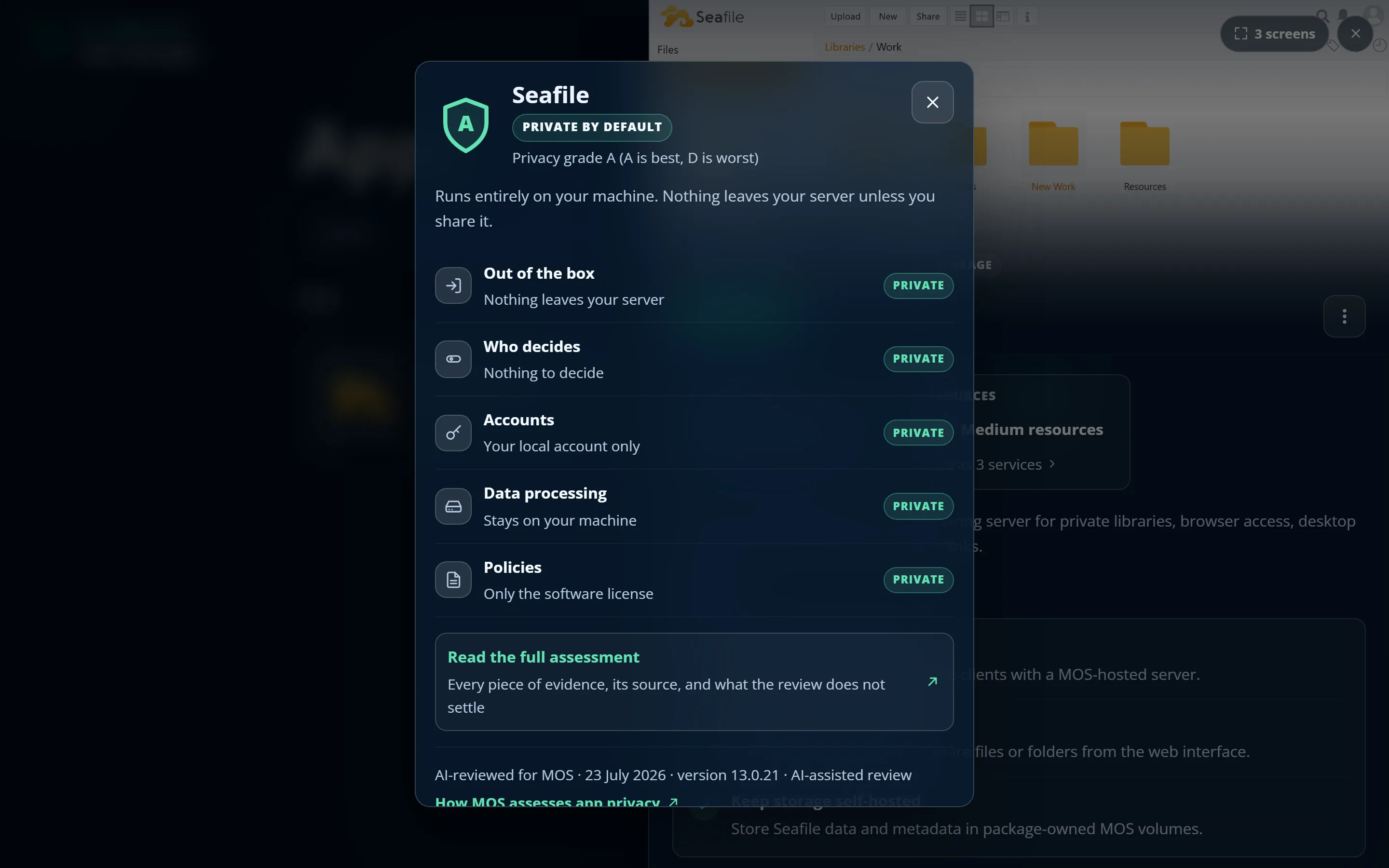
Private by default Privacy grade A (A is best, D is worst)Runs entirely on your machine. Nothing leaves your server unless you share it.
Contacts nothing outside your server in normal use.
Stirling PDF
External dependency Privacy grade C (A is best, D is worst)Something leaves your server in normal use and there is no in-app setting that stops it. MOS reviewed that and accepted it as the price of the feature. The full assessment says exactly what leaves, who receives it, and why.
Contacts one host outside your server in normal use, before you turn anything on.
-
api.iconify.designFrom your browser Fetches some of the interface's icons. It sees the browser's address and which icons were asked for. Received by Iconify
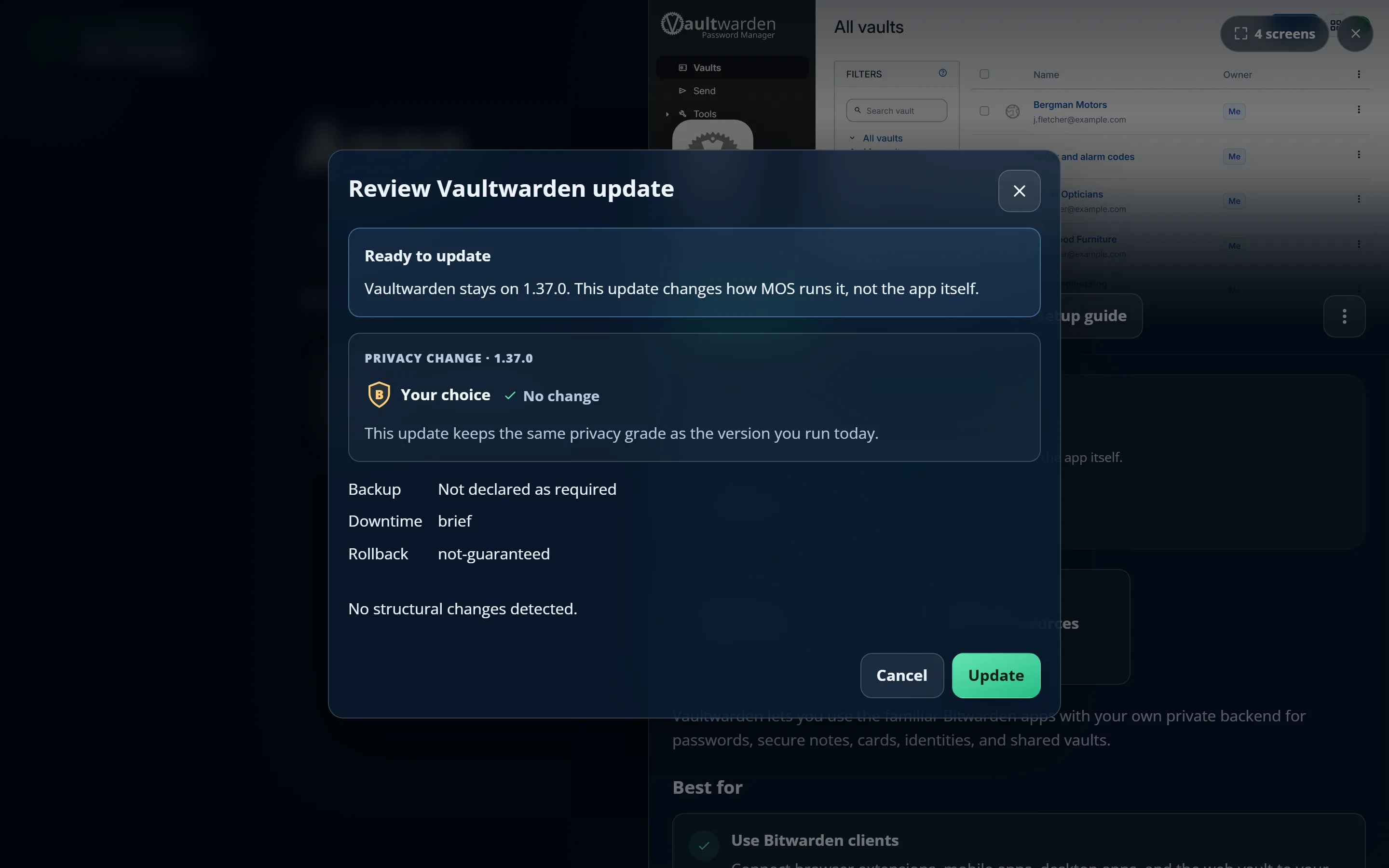
Vaultwarden
Your choice Privacy grade B (A is best, D is worst)Something leaves your server in normal use, and the app has a setting that stops it. MOS left the choice to you because it is a real trade-off. The full assessment says what leaves, who receives it, and where the switch is.
Contacts 2 hosts outside your server in normal use, before you turn anything on.
-
Any websiteFrom the app Fetches the icon of each website saved in the vault, from that website, so the vault can show it. The website sees this server's address and that its icon was asked for. Received by the websites saved in the vault -
api.pwnedpasswords.comFrom your browser Checks passwords against known breaches: by default when a vault account is created, and when a login item is opened. Only the first five characters of the password's SHA-1 hash are sent. Received by Have I Been Pwned (Pwned Passwords)
Your favorite app isn't locked out
Bring your own apps
- Preview first — web addresses, storage, and app connections it wants, in plain language
- One app, or a curated catalog of them from a single repository you add once
- Labelled External · Unverified everywhere it appears — no borrowed trust
- Restricted by MOS: no privileged containers, no reaching into other apps' secrets
- Managed like any other app afterwards: backups, updates, restart, uninstall
Make your app MOS-installable
- One manifest describes your routes, storage, setup fields, and health check
- Your users' data stays on their hardware — the way your project intended
- The same packaging shape MOS uses for its own catalog apps
Plan your digital independence
Map the Big Tech services you rely on today, pick the open-source apps that will replace them, and watch your journey take shape on a timeline. Then export the graphic and share your plan — or your progress.
- No account, nothing to install — it runs entirely in your browser
- Your plan never leaves your device
- Export as PNG, WebP, or SVG, or share a link others can remix
You might feel right at home
pairs excellent app discovery with a powerful NAS-first system. That power also brings storage pools, permissions, networking, and other infrastructure choices into installing an app—a natural fit for technical operators, but a high bar for everyday use.
showed how friendly a home server could be. Its release pace later slowed as its maker’s visible focus moved toward ZimaOS and hardware, reinforcing the value of software that remains independently usable and maintainable when a product direction changes.
demonstrates how polished self-hosted app management can become. Its core platform moved from open source to source-available, while demand remains for a free and fully open-source Cloudron alternative.
MOS brings those lessons together: an app-first private cloud for ordinary hardware, open all the way down, with no project account or license service required to keep it running. It is still an early beta—and an invitation to help shape the alternative.
As easy as the phone in your pocket
A catalog you just tap through
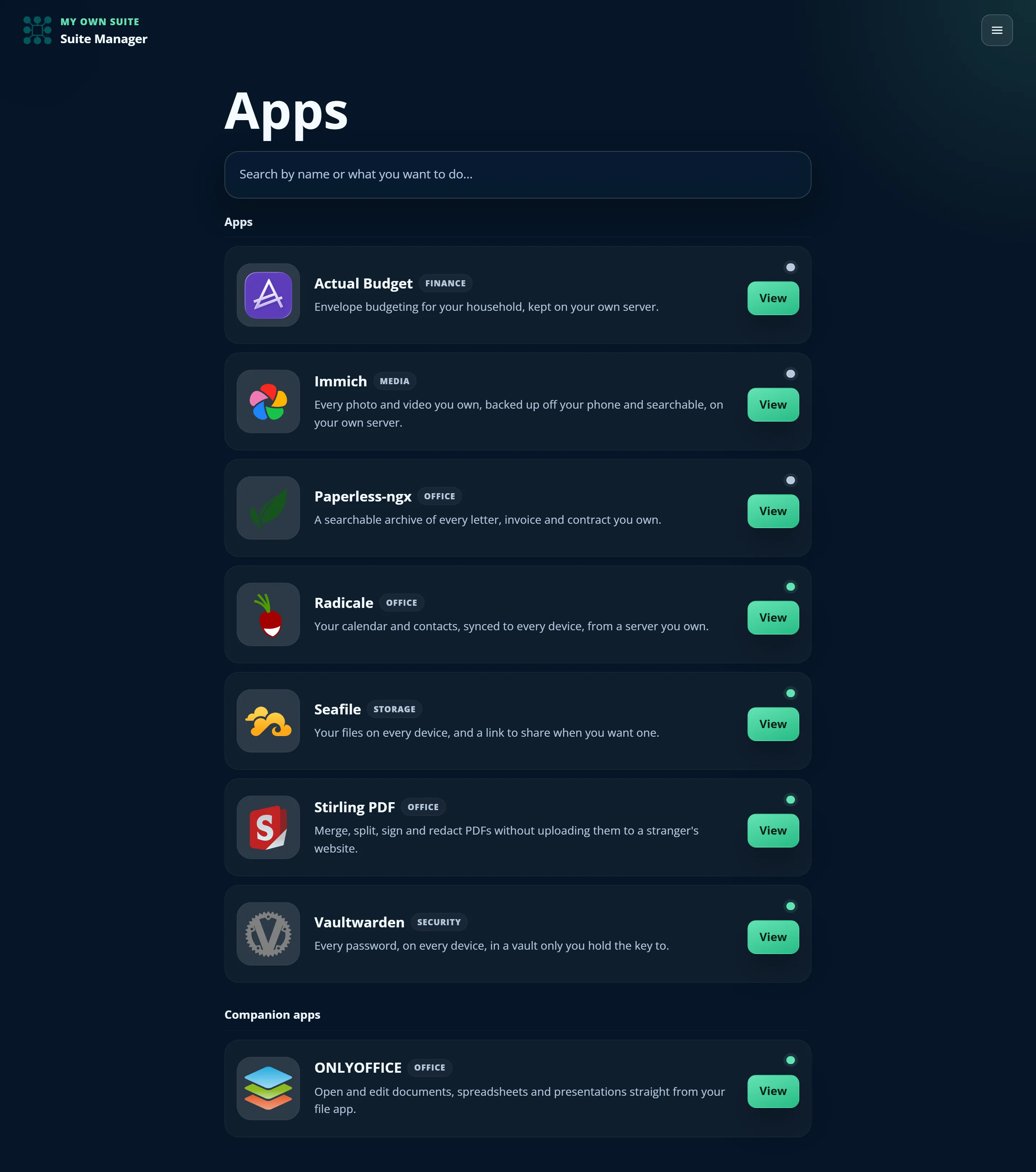
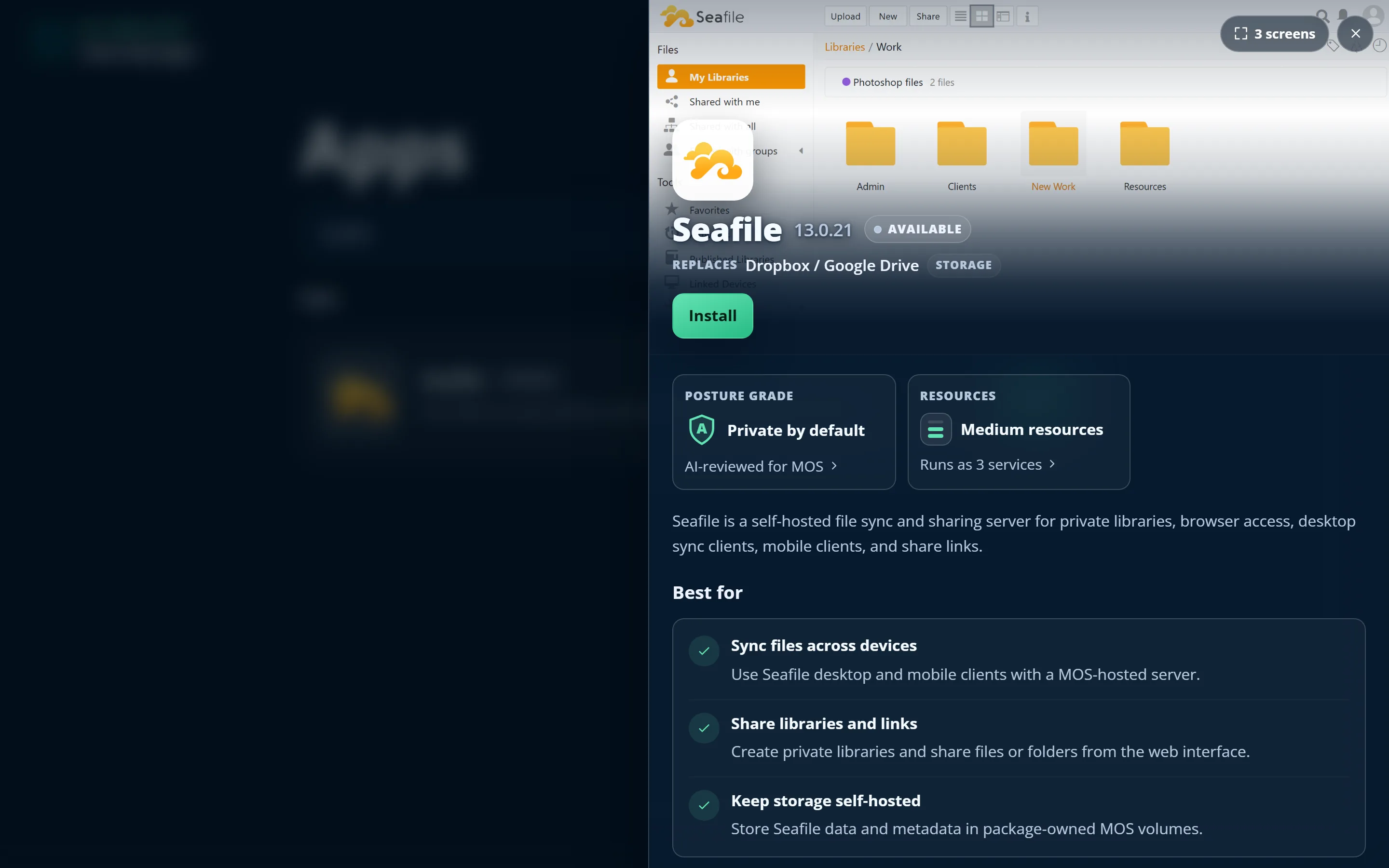
Know exactly what you're getting
The privacy grade, with receipts
Apps that plug into each other

Guided onto your other devices
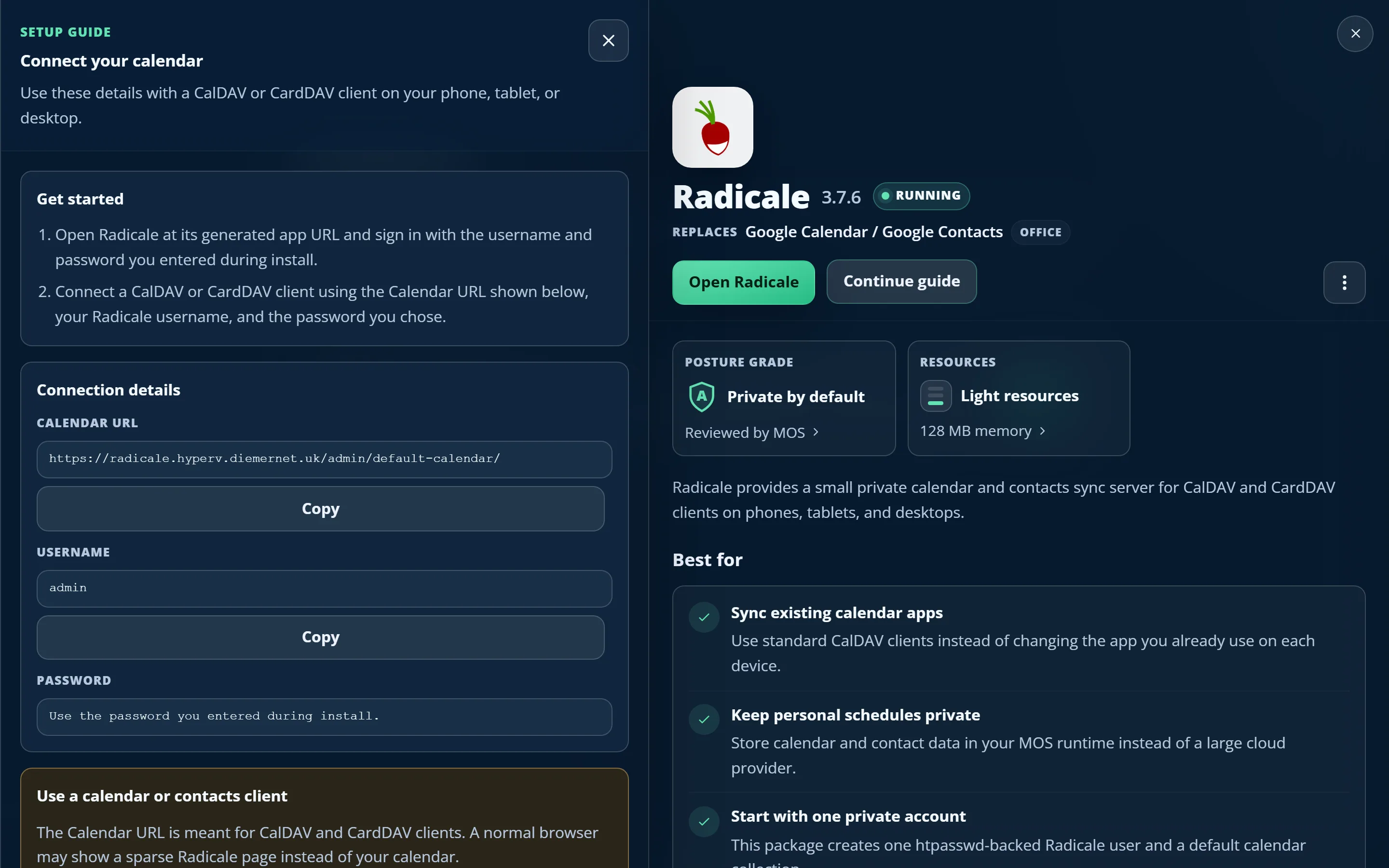
Updates you approve, not endure
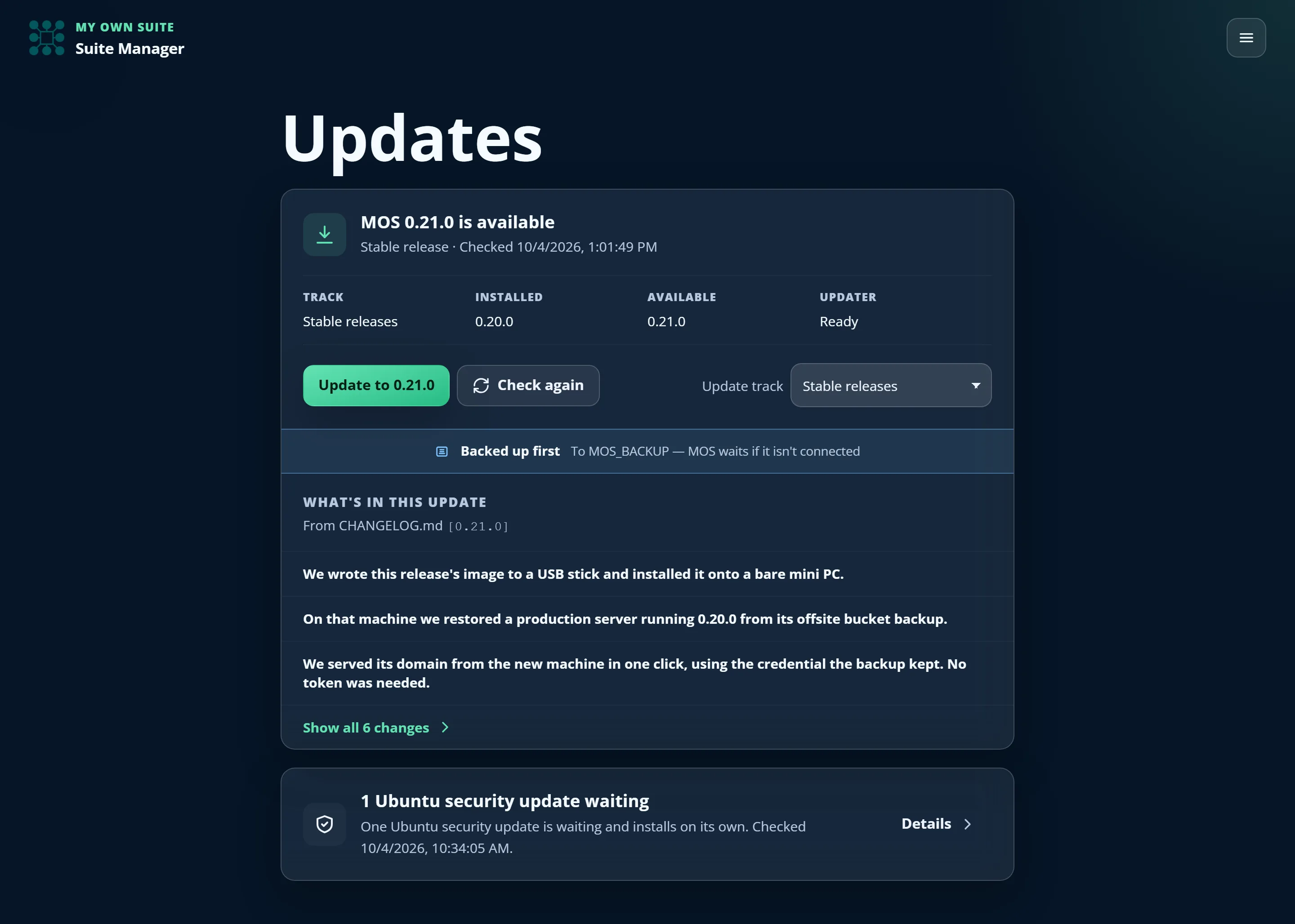
The platform updates itself, on a track you choose
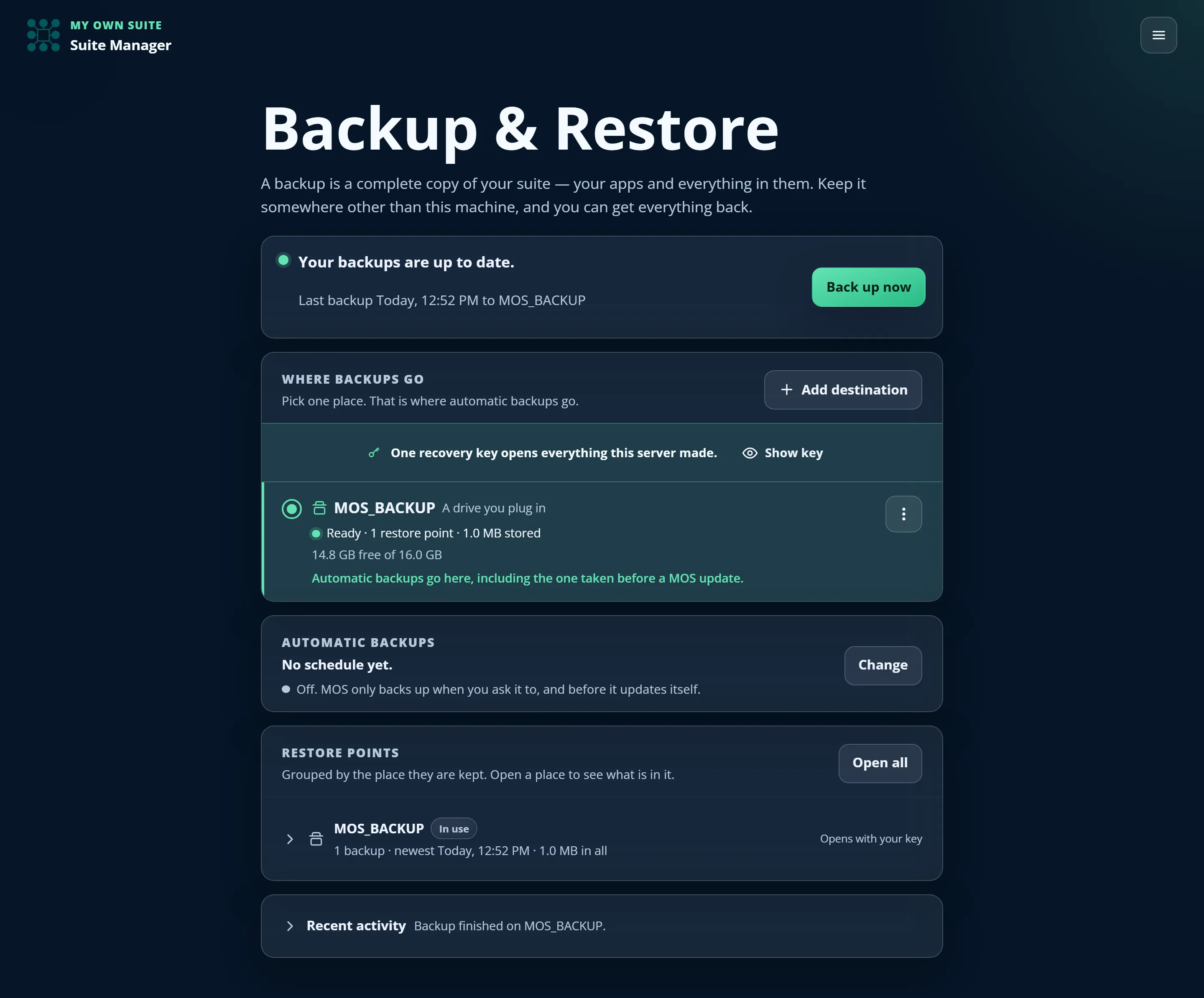
Back up your whole suite to storage you control
Where should your cloud live?
USB installer
- A spare mini-PC or PC to dedicate
- Erases the target disk (Ubuntu Server 24.04-based)
- No developer tools needed — only a free USB writer (Rufus runs without installing)
- Costs only your electricity — usually a small amount each month
- Best privacy — nothing leaves your home
One command
- A small server you rent — about $20–25 a month (DigitalOcean is the tested reference)
- Your provider's web console or SSH — nothing to install on your computer
- Reachable from anywhere you allow
Managed hosting
- Nothing to set up yourself
- MOS-provisioned and maintained
- A paid subscription — pricing announced at launch
- Planned — not yet available
Backups, updates, and a serious trust architecture
Private HTTPS at home
Secrets stay secret
Backups you can open without us
A catalog your server can verify
Apps update on their own schedule
Your apps can't change under you
Updates that put things back
Honest answers
Do I need to be technical?
Short answer: no — if you go with a cloud server.
Longer answer: it depends on where MOS lives. A rented cloud server just means following our step-by-step guide, which includes a full video walkthrough of the whole install — no experience needed.
Your own hardware needs a little more: download the installer image from our latest release, write it to a USB stick, and boot the machine from it. Writing the stick needs a free utility — Rufus on Windows, which is a single file you run without installing, or balenaEtcher elsewhere. There's nothing else to set up, and no prompts to answer during the install — but you do need a spare machine you're willing to wipe, and you'll be the one plugging in cables. If that sounds like a hassle rather than a Saturday, a cloud server is the easier place to start.
Either way, once MOS is running everything happens in the browser and works for anyone.
Is it really free — what does it actually cost?
MOS and every app in the catalog are free and open source — no license keys, no subscriptions, no paid tier.
The only real cost is the computer it runs on: a little electricity if you use a machine at home, or a small monthly fee for a rented cloud server (about $20–25 a month for the tested reference size). A one-click managed hosting option is coming for people who'd rather pay MOS to run it all for them.
Where does my data actually live?
On the machine you installed MOS on — your home mini-PC or your cloud server. MOS never routes your data through a MOS-owned cloud, and the platform contains no telemetry at all: no account, no analytics, nothing reporting back to us. We don't know that you installed it.
The one exception is this marketing page, which counts anonymous visits using analytics we run ourselves. The docs have none, and your suite has none. The privacy policy spells out every connection your server makes.
How do my apps stay up to date?
Each app updates on its own schedule, independently of MOS itself. Your server periodically checks a signed catalog for newer app versions and shows an Update available badge — so a security fix for your password manager reaches you without waiting for a MOS release.
Nothing updates behind your back. You see what changes — new settings, breaking changes, whether the privacy assessment moved — and you press the button. If an update fails, MOS puts the app back the way it was, or tells you exactly what it couldn't undo.
Can I install an app that isn't in the catalog?
Yes. Paste a GitHub repository URL into the Apps search and MOS will fetch it, check it, and show you what it wants before anything is installed — which addresses it asks for, which storage, which other apps it wants to reach. A repository can publish one app or a whole catalog of them, so a collection someone else curates is added once and then browsed like the rest.
It's labelled External · Unverified everywhere it appears, because we haven't reviewed it and we won't pretend otherwise. Building it runs the publisher's own instructions on your server, so it's genuinely your call — MOS's job is to make sure it's an informed one.
What if I want to leave?
Everything runs on standard open-source apps with standard data formats. Whole-suite backups run on a schedule to a USB drive, a mounted block-storage volume, or an S3-compatible bucket, encrypted with your recovery key before they leave the server.
What MOS writes there is a plain restic repository, not a format of our own. If MOS vanished tomorrow, your recovery key and the restic command-line tool would still open every backup you have and give you your files back, on any machine. The way out does not run through us.
It's beta — is it safe to use?
MOS is version 0.22.0 and improving quickly. Every change runs an automated test suite before it lands, the whole install-to-apps flow is exercised on real virtual machines, and every image is pinned to an exact digest. The changelog is public.
Trust is the product, so here's the honest part: pre-1.0 releases can include breaking changes, and we don't yet run the full end-to-end suite automatically on every release. Treat MOS as ready for evaluation and non-critical use for now: keep an independent backup of anything you can't afford to lose, and take a backup before you update — the button is right there.
Built on great open-source work
Built with












'/%3e%3cpath%20d='M0%2069.5866C0%2069.5866%2014.3139%2062.6137%2028.6678%2062.6137L39.4901%2029.1204C39.8953%2027.5007%2041.0783%2026.3999%2042.4139%2026.3999C43.7495%2026.3999%2044.9325%2027.5007%2045.3377%2029.1204L56.1601%2062.6137C73.1601%2062.6137%2084.8278%2069.5866%2084.8278%2069.5866C84.8278%2069.5866%2060.5145%203.35233%2060.467%203.21944C59.7692%201.2612%2058.5911%200%2057.0029%200H27.8274C26.2392%200%2025.1087%201.2612%2024.3634%203.21944C24.3108%203.34983%200%2069.5866%200%2069.5866Z'%20fill='white'/%3e%3cdefs%3e%3clinearGradient%20id='paint0_linear_1_59'%20x1='22.4702'%20y1='107'%20x2='69.1451'%20y2='84.9468'%20gradientUnits='userSpaceOnUse'%3e%3cstop%20stop-color='%23D83333'/%3e%3cstop%20offset='1'%20stop-color='%23F041FF'/%3e%3c/linearGradient%3e%3c/defs%3e%3c/svg%3e)



A project by